
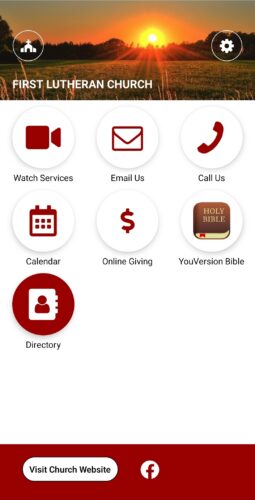
We have an App available on your mobile phone for quick access to several online resources, including the following:
- First Lutheran YouTube Channel
- Send an Email to First Lutheran Staff
- Call the Church Office from the App
- Calendar of Events (needs to be updated)
- Online Giving (Direct link to Vanco)
- Online Bible App
- First Lutheran Membership Directory
How do I get the App?
1) Download the App from the App Store or Google Play. Search “Universal Church Directory.” The App is called myUCD
2) Enter your family’s Unique Identifier. Click on the gray “Download My Church Directory” button. (If you did not receive an email, ask Jen White to resend it. ([email protected])
3) Begin using our First Lutheran App!
Desktop Directory is an Option
- Go to directory.ucdir.com. 2. Enter Unique Identifier and hit GO.
3. Follow the prompts to create your own Username & Password. 4. Click on “Create Account”.
What is my Unique Identifier?
A “Unique Identifier” is assigned to all current members in the First Lutheran Directory. It was emailed to your email on file, but if you can’t located it, contact the church office to have it resent.